WhatsApp Chatbot for Business: What It Really Does and How to Make It Work
A WhatsApp chatbot for business answers customers at any hour, collects their details, and books meetings. Here's what it does and how to make it work.

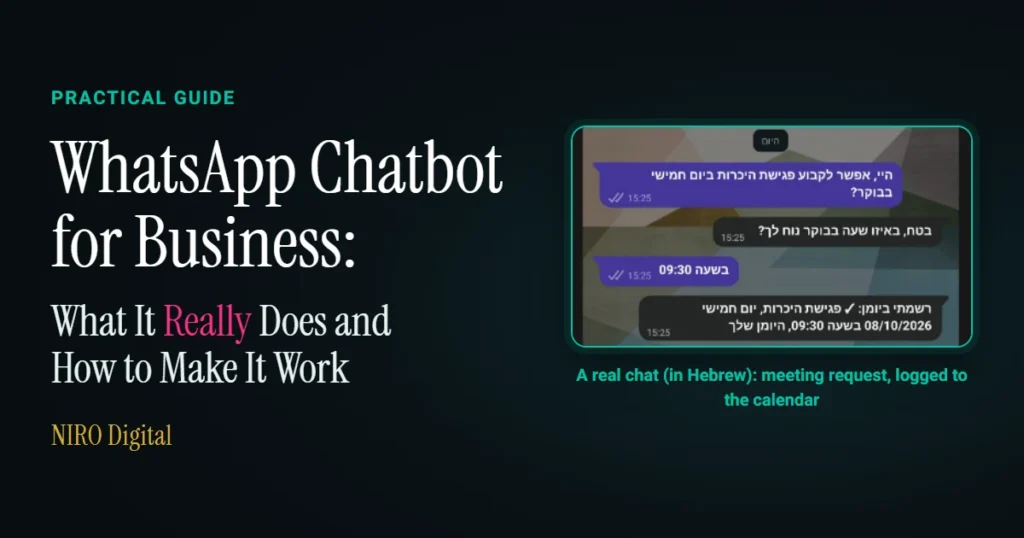
A WhatsApp chatbot for business replies to your customers from your WhatsApp Business number within seconds, at any hour. It answers the questions that come up every day, figures out what each customer needs, collects a name and phone number, books meetings, and passes along only the conversations that need you. For that to happen, the bot has to run on a business number registered on the WhatsApp Business Platform, follow clear rules about what it says and when it hands a conversation to a person, and connect to your business systems, such as your calendar and CRM.
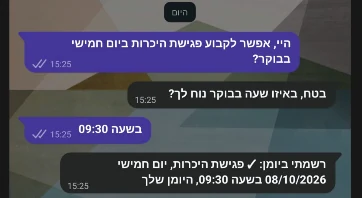
What Does a WhatsApp Chatbot Actually Do?
The easiest way to understand a bot is to break down what it does into individual actions. Each one happens within a single conversation with a customer.
It Answers Repeat Questions Instantly
A customer messages you at ten at night: "How late are you open tomorrow?" The bot replies within seconds, using the information you've given it, and the customer moves on with an answer in hand. The questions you get every day are the ideal starting point for a bot, since you already know the answers.
It Figures Out What the Customer Needs and Routes the Message
The bot reads each message and classifies it as a price question, a booking request, or an inquiry that needs personal attention. Anything that needs a human goes to the right person in your business along with a one-sentence summary, so they can pick up the conversation without asking the customer to repeat everything.
It Collects Details and Keeps Them in One Place
Instead of letting details get buried in a long WhatsApp thread, the bot asks for a name, a phone number, and a good time to talk, then saves it all as a record in your CRM. Every lead is stored with its context, so you can follow up even a month later.
It Books Meetings During the Conversation
A bot connected to your calendar offers the customer times when you're actually available. The customer picks one, and the meeting goes straight into your calendar without a single back-and-forth message passing through you.
It Alerts You to Hot Leads
When someone says they want to get started, asks to speak with a person, or asks about a meeting, the bot sends an instant alert to your phone. Leads who are ready to talk hear from you while they're still hot.
It Knows When to Hand Off to a Human
A good bot knows its limits. A question it can't answer, a complaint, or a special request is passed to you along with the full conversation, and the customer feels that someone is genuinely looking after them.
What Does This Look Like in Practice?
Since August 2026, Keren, a chatbot I built for my own business, has been answering visitors on my website. She responds politely to every visitor and keeps her answers short and focused. Several decisions I made while building her apply equally to a WhatsApp bot:
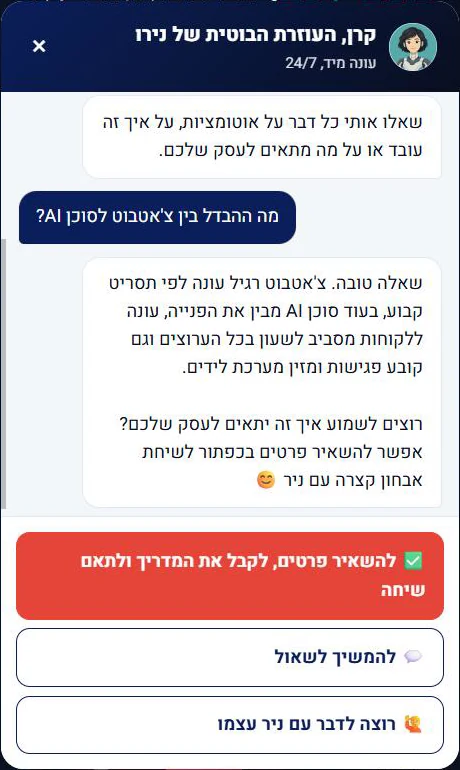
- Price questions get an invitation to talk. Every business is different, so instead of quoting a number, Keren invites people to a free automation audit.
- Promises come only after details. Keren promises that I'll get back to you only after you've left your name and phone number, because that's a promise I can actually keep.
- Hot leads are identified using a fixed list. When someone asks for a representative, mentions a meeting, or says it's urgent, I get an alert immediately. The trigger is a list I defined, not the model's judgment, so a hot lead reaches me every time.
- Every lead goes into a smart CRM that organizes everything automatically.
What Does It Take to Make a WhatsApp Chatbot Work?
The part you see is the conversation. Beneath it lies the work that determines whether the bot becomes a genuinely useful assistant for your business.
A Business Number on the Official Platform
A professional bot runs on a business number registered on the official WhatsApp Business Platform. Verifying your business with Meta improves the number's capabilities. That's how I work myself, with one personal number and a separate, verified business number for the bot. Deciding which number will answer customers comes first, because that choice affects everything else.
The 24-Hour Window and Approved Templates
When a customer messages your business, a 24-hour window opens, during which the bot can reply freely. Once the window closes, only message templates pre-approved by Meta can be sent. A reminder about tomorrow's meeting or a follow-up a few days later must be sent as a template, so these messages are written and submitted for approval before the bot goes live. Meta assigns each template a category based on its purpose: Utility, for non-promotional messages that follow up on a customer's action or request, or Marketing.
A conversation that starts from an ad with a WhatsApp button gets a free 72-hour window, provided the business replies within 24 hours. If you run ads, factor this in when planning the bot.
Billing and the Message Allowance
Starting in October 2026, every business number gets a thousand free service messages per month. Service messages are the bot's free-form replies within the 24-hour window. Beyond that allowance, Meta charges per message, so a payment method should be set up on the business account from day one. A well-built bot can also reduce the number of messages by combining information into one clear message and sending a short form within WhatsApp instead of a series of questions.
Rules: What the Bot Says and When It Stops
Before writing a single reply, you set the rules: what the bot answers, what it passes to you, how it responds to a rude message, and what it says when the business is closed. With Keren, for example, the rule that every conversation stays respectful overrides all other rules. These rules are what turn a bot into a representative you can trust.
Connecting to Your Business Systems
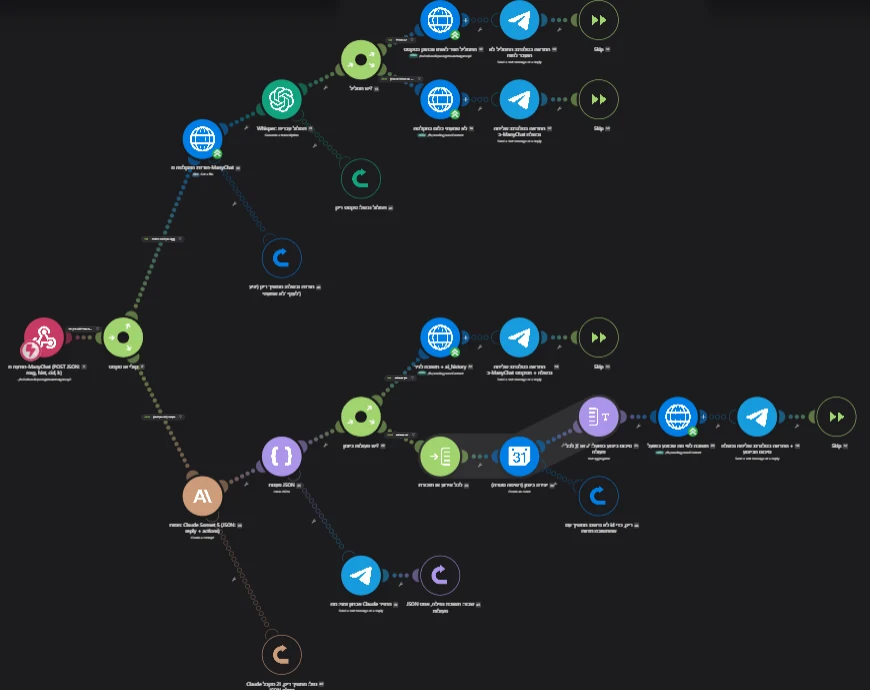
These connections are what turn a conversation into an organized lead. The details go into your CRM, the meeting goes into your calendar, and the alert reaches your phone, without you having to copy anything.
Who Is a WhatsApp Chatbot Right For?
A WhatsApp bot delivers the most value when at least one of the following is true:
- Many of the messages you receive ask the same questions.
- Inquiries also come in during evenings and on weekends.
- You run ads that start conversations on WhatsApp.
- Leads are left waiting while you're busy with another customer.
This applies to small and medium-sized businesses, to freelancers, and to fast-growing businesses.
Frequently Asked Questions
What's the difference between a chatbot and an AI agent?
A chatbot answers questions. An AI agent does work: it updates your CRM, sorts and routes leads, and prepares tasks for your approval. A good WhatsApp bot combines both, so the conversation itself moves the work forward.
Can I run a chatbot on the number my business already uses?
That's something I assess during the free automation audit, based on how you currently use WhatsApp. In my own business, I use a personal number and a separate business number for the bot, so personal chats stay personal and customer conversations are all managed in one place.
Can the bot message a customer first?
Yes, it can, using a template that Meta has approved in advance. Within 24 hours of the customer's last message, the bot can reply freely. After that, only approved templates can be sent, such as a meeting reminder or an order update.
What does the bot do when it doesn't know the answer?
It passes the conversation to you with a short summary of what the customer asked for. This is one of the rules defined during the build: when the bot continues on its own and when it hands off to a human.
Meta already offers an AI agent for WhatsApp. Why build a bot?
In June 2026, Meta expanded its Business Agent to businesses of all sizes. It answers questions, recommends products from your catalog, and books appointments. A bot built for your business also connects to your own processes: your calendar, your CRM, the rules you set, and the person who should handle each inquiry.
How much does a WhatsApp chatbot cost?
The investment depends on what the bot needs to do for you. I determine it after the free automation audit, once it's clear what the build includes. Separately from the build, Meta charges per message, although free-form replies within the 24-hour window count toward each number's allowance of a thousand free service messages per month.
Want to See How a Bot Like This Would Work in Your Business?
In a free 20-minute automation audit on Zoom, with no obligation, I review the questions you get over and over and pinpoint where a bot would free up the most time for you. By the end of the audit, you'll know what to build first.
